Showing posts with label illustrator. Show all posts

Sunday, November 8, 2020

Something Fishy This Way Comes

by Kathy Garvey

I have been busy working on projects unrelated to art and in wanting to get back to it, explored my old online portfolios. I was surprised how many fish there were. I haven't done a fish in ages. Here are a few, all from 2010. 


I just noticed that they are all facing right! I also noticed they are all done in Photoshop and Illustrator which I have been trying to wean myself off of because of the monthly cost. But, these make me remember how much fun I have with them.

I hear Procreate is a much more affordable creative tool and it works on an Ipad. I've downloaded it and just need to learn it. And when I do, I could maybe point one to the left and see what happens! Perhaps there are more fish in my future.


Saturday, July 11, 2015

Logging the Fun - for almost seven years!

I have spent quite a few hours over the last few days working on getting a small sketch to the point where I liked a digital version of it. I get a total joy out of working with Illustrator. Using it to recreate an idea takes away my shaky hand effect and also allows me to experiment with changes rapidly. And Photoshop offers so many fun ways to experiment with any graphic or photo that I can't resist taking either one into it for some playtime. 

The hours when I'm working/playing with Illustrator and Photoshop kind of fly by on me. And it can result in ten images, not just the one I aimed for at the start. But I make the effort afterwards to log what I've done (whether I'm happy with it or not) in an InDesign document. Below are the logs that show me the journey this little sketch has taken - from some efforts I didn't really like a few weeks ago ...

It was a black and white sketch, so that's how I started it!

... to all the fun I had today with it.

The color made it pop!
I didn't always log things. And keeping up the logs takes time. I used to be a FrameMaker expert - what an awesome documentation tool that was! But I decided in 2009 that I was going to have to switch to InDesign and learn it because that's the way documentation projects were going. I needed something to document, so I started my first annual "Worklog" in InDesign and started recording the starting image, the ending image and a summary of the steps in between. My first annual log was 301 pages! Using InDesign regularly has kept my skills sharp enough with it to help with other documentation projects like formatting books and stories for friends who write.

But the biggest payoff, now, looking back over the almost seven years of maintaining these logs is that it gives me a record of my digital work. I can't count the times my logs have helped me find the original file or sketch that a work was started from, reminded me of what I was doing with some graphic and why, or just helped me pull something up to rework or print. (Finding any of those images from 2003 when I first started doing digital - through 2008 before I started the logs is pretty hit or miss. I didn't realize then how much was going to change over time. That was at least three computers ago, and five software updates - where are those files now?)

I know some artists journal, others maintain photo files and some lose track of things like I did all those years before. Logging is working for me! And InDesign has ended up being the perfect tool for this type of log. I'm so glad I started and hope I keep it up!


A log a year for almost seven years!

Monday, October 7, 2013

Time to Visit the Zoo

By Kathy Garvey
Now that the weather is cooling off, it's time to visit our wonderful local zoo. It's a constant source of inspiration and a fun affordable place to visit, especially if you invest in a membership. I've been able to go early in the morning and walk the zoo when there are hardly any visitors. Sometimes you have to wait for the animals to be let out on exhibit, but it's worth the wait. On my last visit, the giraffes were all out, young and old alike and they are magnificent! Above is a photo from my last visit, modified a little in Photoshop. And below is series from prior visits, all created with both Photoshop and Illustrator.  From gators to flamingos there's something for everyone.


Sunday, June 30, 2013

Still Learning Adobe Creative Suite 6 when along comes CC!


by Kathy Garvey

Last year I made a leap from my Creative Suite CS3 to the wonderful CS6. I only really use Photoshop, Illustrator, InDesign and Acrobat. But, the online suite for $29.99 a month gave me access to everything else Adobe I could possibly want.

Thing is, here it is almost a year later and I'm still studying and learning my four chosen tools. And, yes, now Adobe has come out with "CC" which is the planned future for their suite of tools - you sign up, they keep upgrading, you keep getting the latest and greatest.

They're already great. I can hardly stand it! I'm still trying to use all the cool things in CS6 and now I have so much more! The good news is that for over a year I've had the fear that my monthly fee would go up drastically when my year was up. Not so. With CC, since I already have CS6, I only have to pay $20 a month. An actual reduction. Who says big companies don't have a heart!

I haven't gone to CC yet, I'm waiting for the forums to calm down a bit. A few people are having problems with some of the features not working as expected. In the meantime, I'm having fun with CS6. (And watching a lot of free tutorials on all the new stuff. If you haven't ever gone to "CreativeLive" check it out.) Attached are just a few of my week's CS6 Illustrator and Photoshop efforts. If you're in the Melbourne area and ever want to get together and talk Adobe Creative Suite, let me know. I'm thinking a User's Group would be a nice thing to start up again. We used to have one in the area.


Friday, March 29, 2013

An Illustrated Pear: Pattern and Pattern Maker

I invested in the Adobe CS6 Creative Suite via the Creative Cloud last August and have been spending my spare time trying to learn the new software. First, I love it. Second, the Creative Cloud is a really nice way to use the software and the only way I can afford it anymore. Third, I'm not limited, I can use any of the many tools available but for now, I'm concentrating on Illustrator because vector is my favorite look.

For study purposes, i.e. working through a topic, I've been using a pear shape. So, this was my first, a simple pear, to work through creating simple patterns. I have to have checks and swirls so those were created first. (Click on any image to enlarge it.)
Took that into Photoshop to add more patterns and textures.
However, the new Illustrator CS6 has a really fun pattern maker, and using that lets you do even more exciting things. Below is an example.


Two patterns created from the above look like this.

I am really loving this software. More pears coming soon. Hope to start teaching it again in May.

Saturday, October 29, 2011

Why I love Digital! Version 3


The next day, I'm not sure if it was the fish, or me. But it certainly wasn't the same mood. This fish had attitude and wanted to look totally different. It took about two hours, but he ate my homework. He's not finished. But I can't wait to see what he's up to for tomorrow.

And just in case these don't show up in the order I had hoped, my message was that I love digital because it's fun and fast and dynamic and I never know where it wants to go but I enjoy the ride.

Well, darn. Thought if I built them up in order but saved them as drafts and loaded the last one first, they'd read one, two, three. But no, this blog tool is not intuitive. What it does one time is not what it does the next. So, I will try to reload. If they still don't read Version 1, 2, 3. I tried, I really tried. But some software (this blog tool) is not as awesome as other software (Illustrator and Photoshop). JMHO

Monday, January 10, 2011

Keeping a New Year's Resolution or two

I'm fairly new to the Pieces of 8 and one of my New Year's Resolutions was to start posting to this blog. It took me a while, but here it is! Another resolution was to submit a design to something online. The above is a fabric design submitted to Spoonflower.com for one of their contests. This contest was called Large Botanical and just required that the image use the assigned color palette. It took me a while in Illustrator and Photoshop to finally get it together and submit "Moonflower" above. Two resolutions down, only about 30 more to go! Joining the Pieces of 8 has definitely been an inspiration. Can't wait to go paint today.

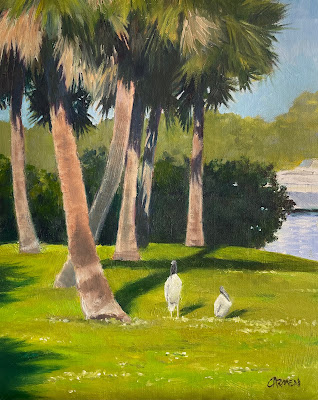
Ballard Park, Original Oil on Canvas

  I had not painted outside in two years, so this was quite a challenge. It was one of those paintings I had to improve upon in the studio. ...